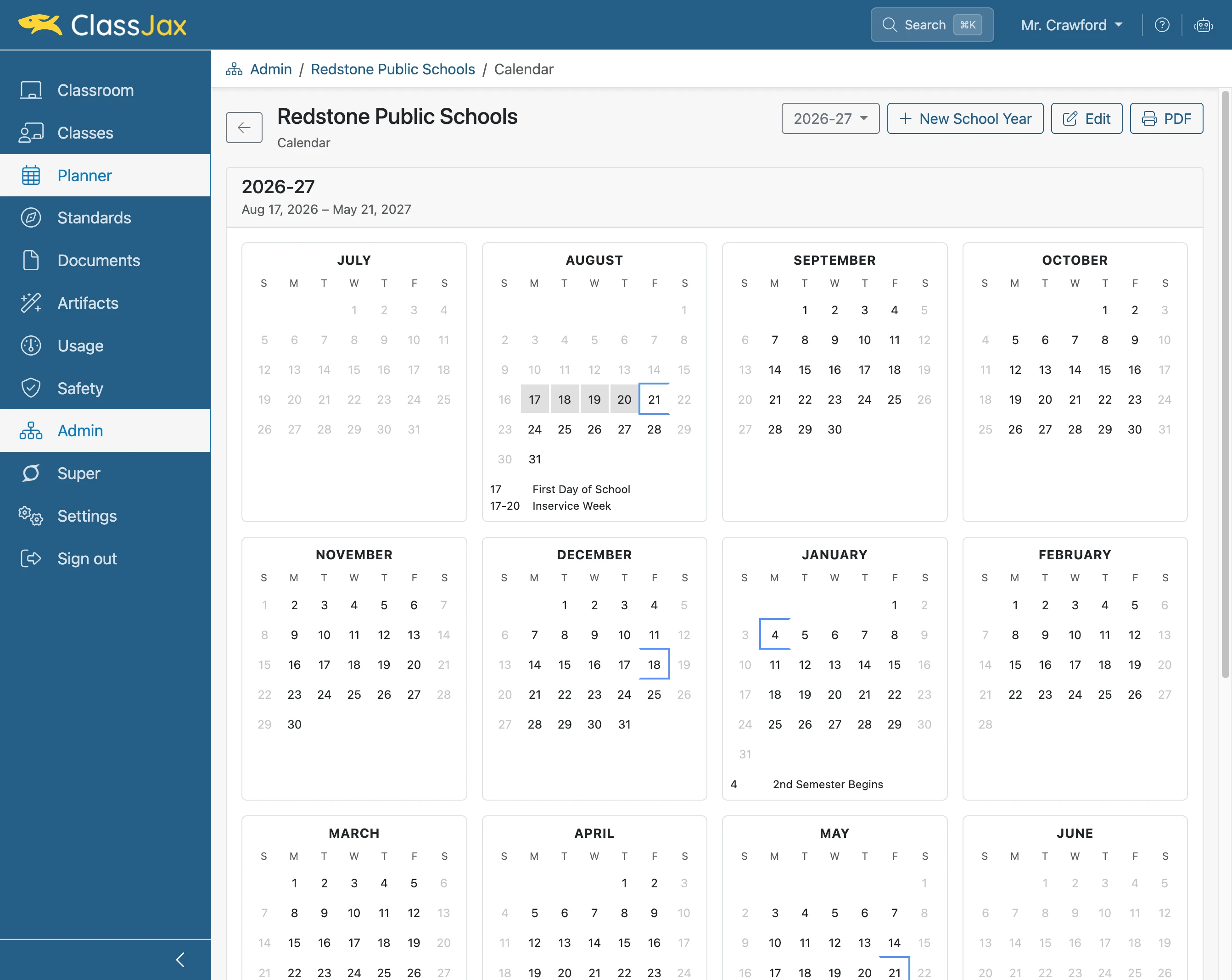
Create a School Calendar
School administrators in ClassJax can create a calendar and add events such as holidays, professional development days, and early release dates. These events will automatically appear in teachers’ planners. Follow these instructions to set up the school calendar in ClassJax.
Plan smarter this year
ClassJax is free for teachers. No credit card required.
- 1
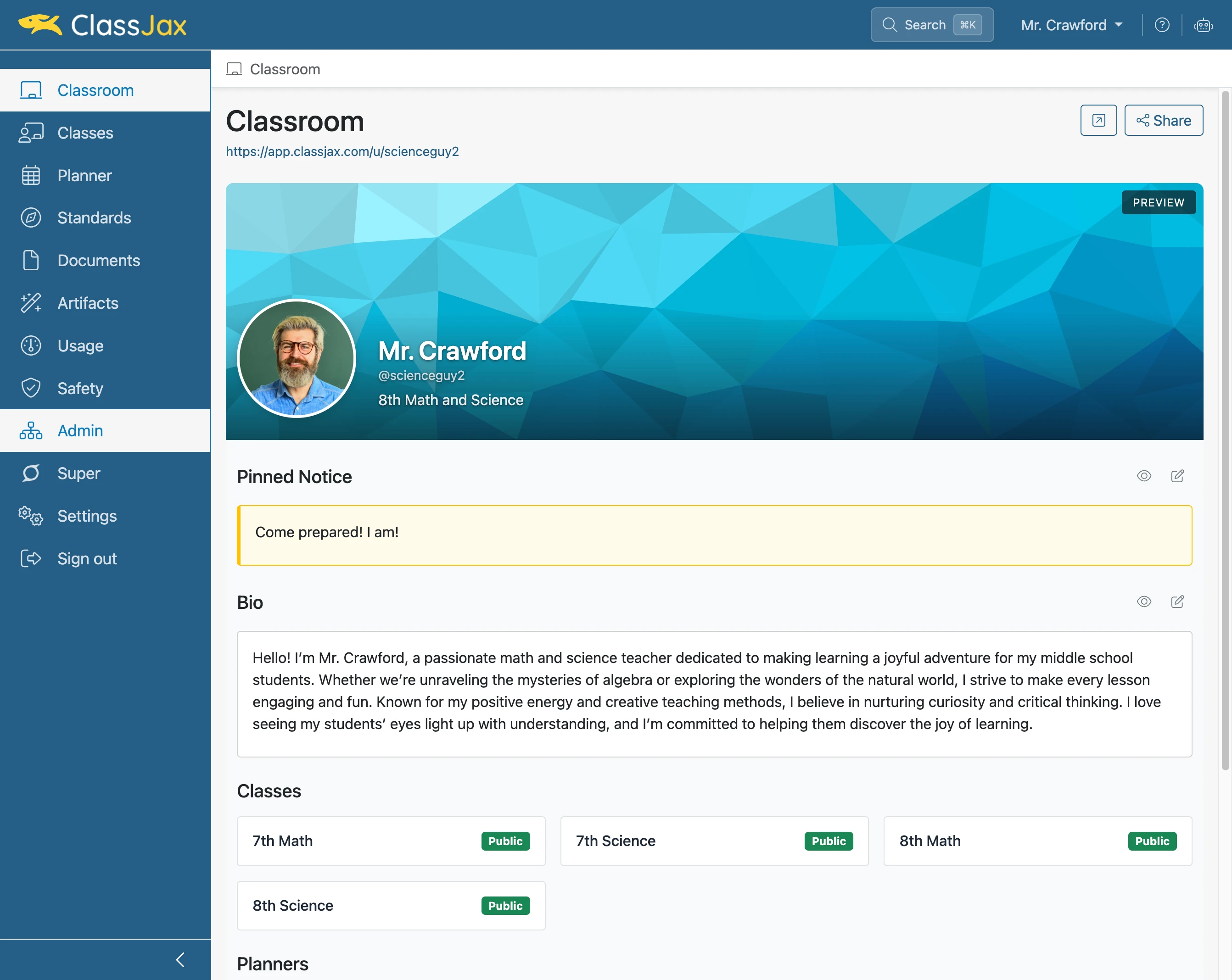
Click the 'Admin' link
- 2
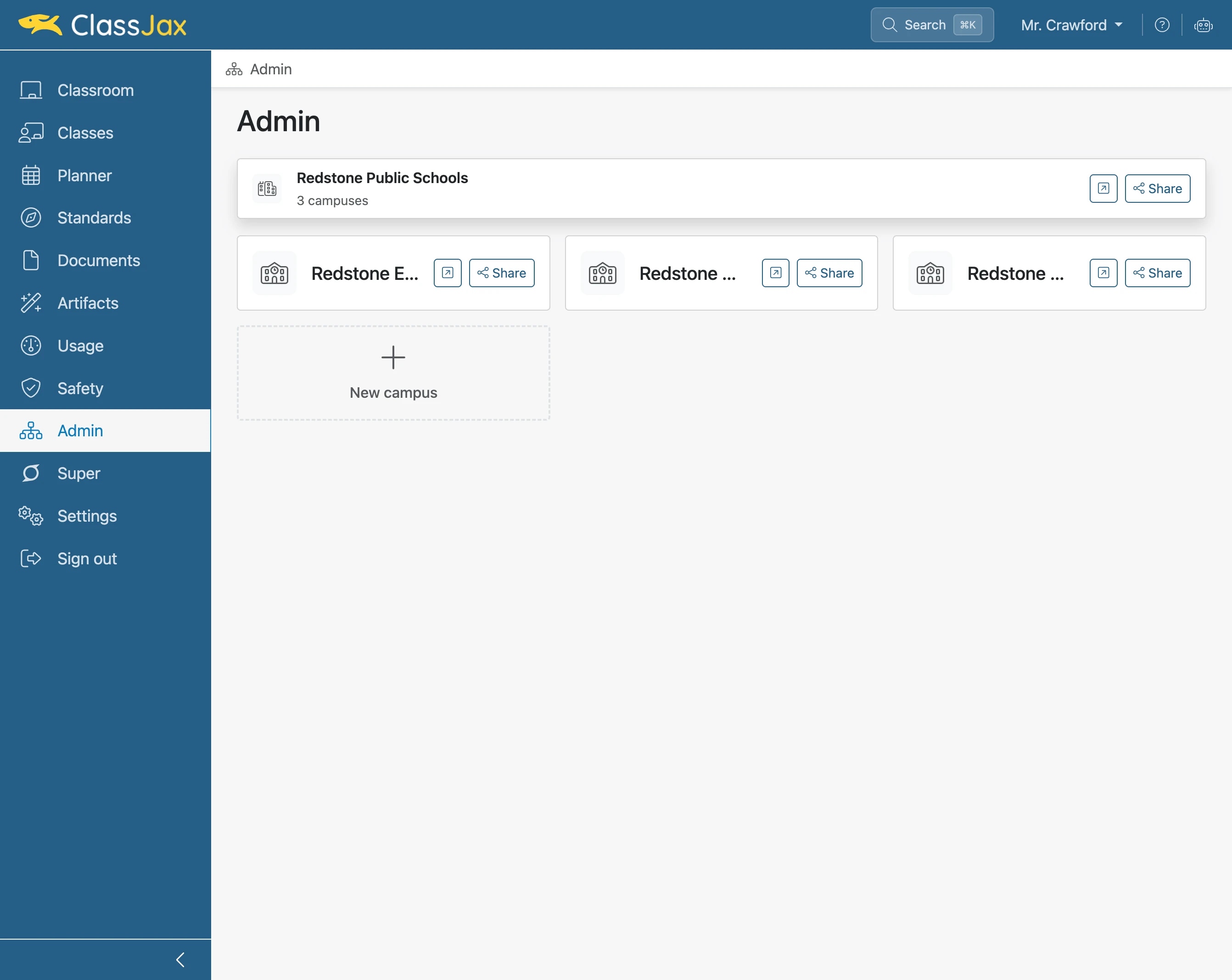
Click 'Organization' option
- 3
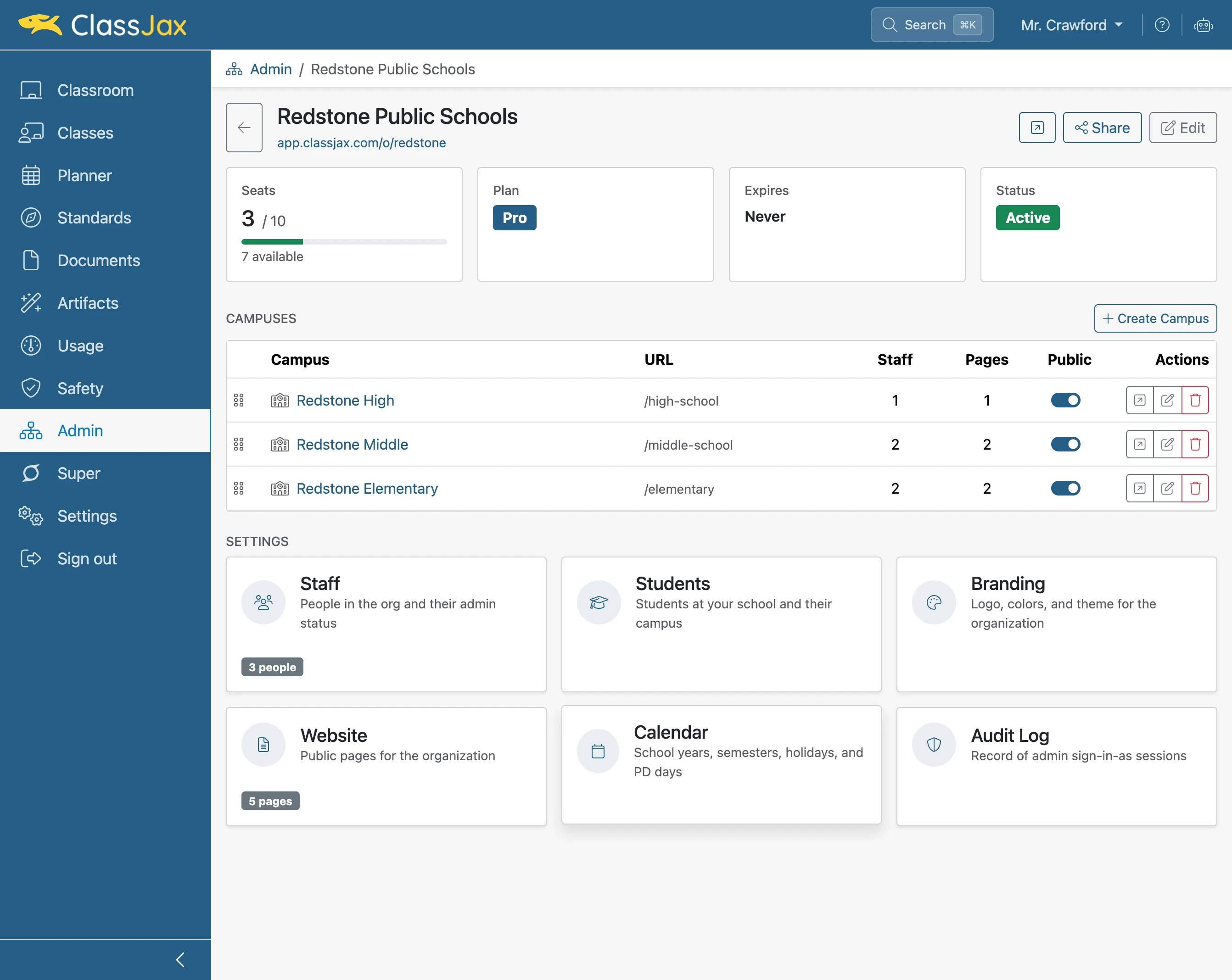
Click the 'Calendar' option
- 4
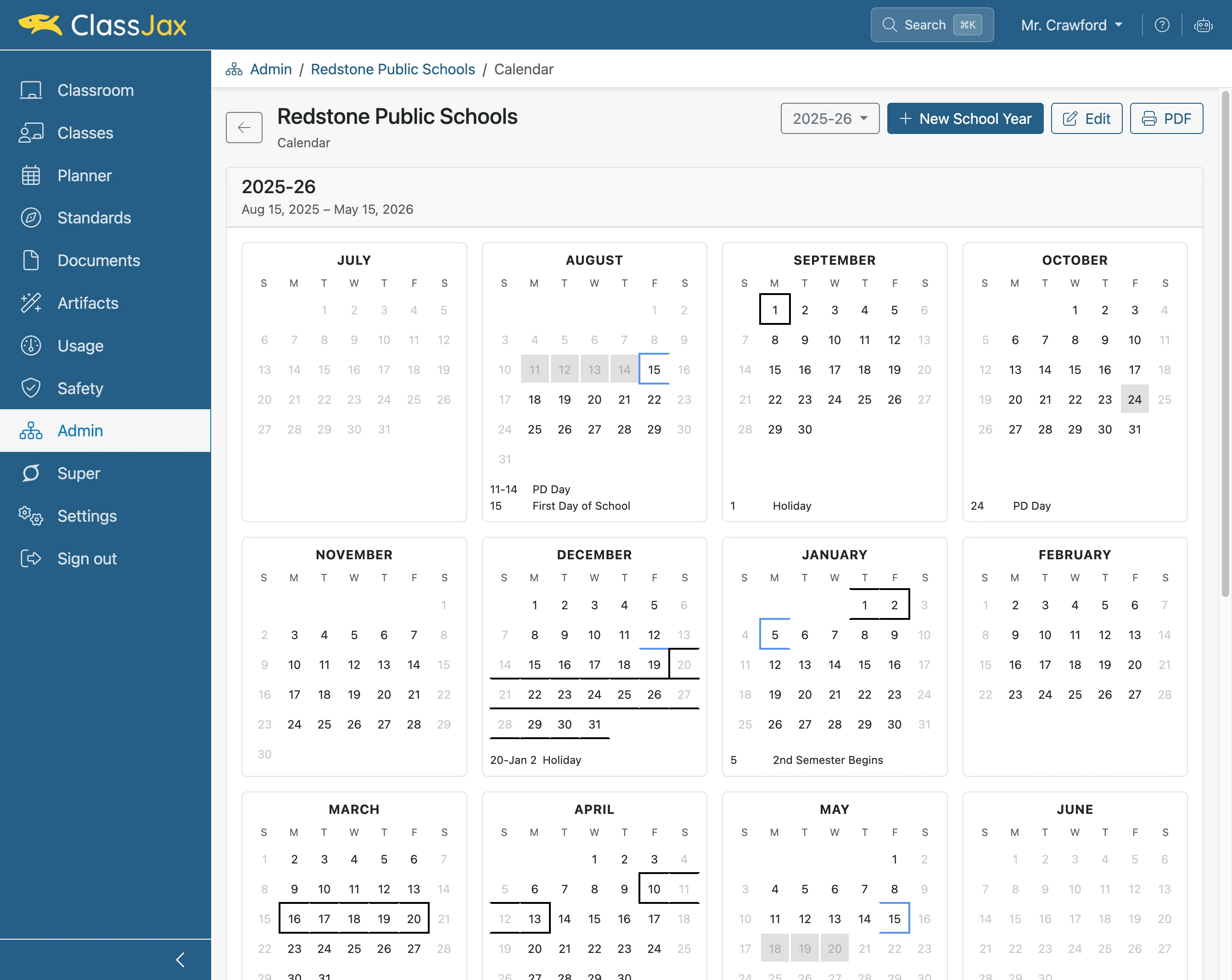
Click 'New School Year'
- 5
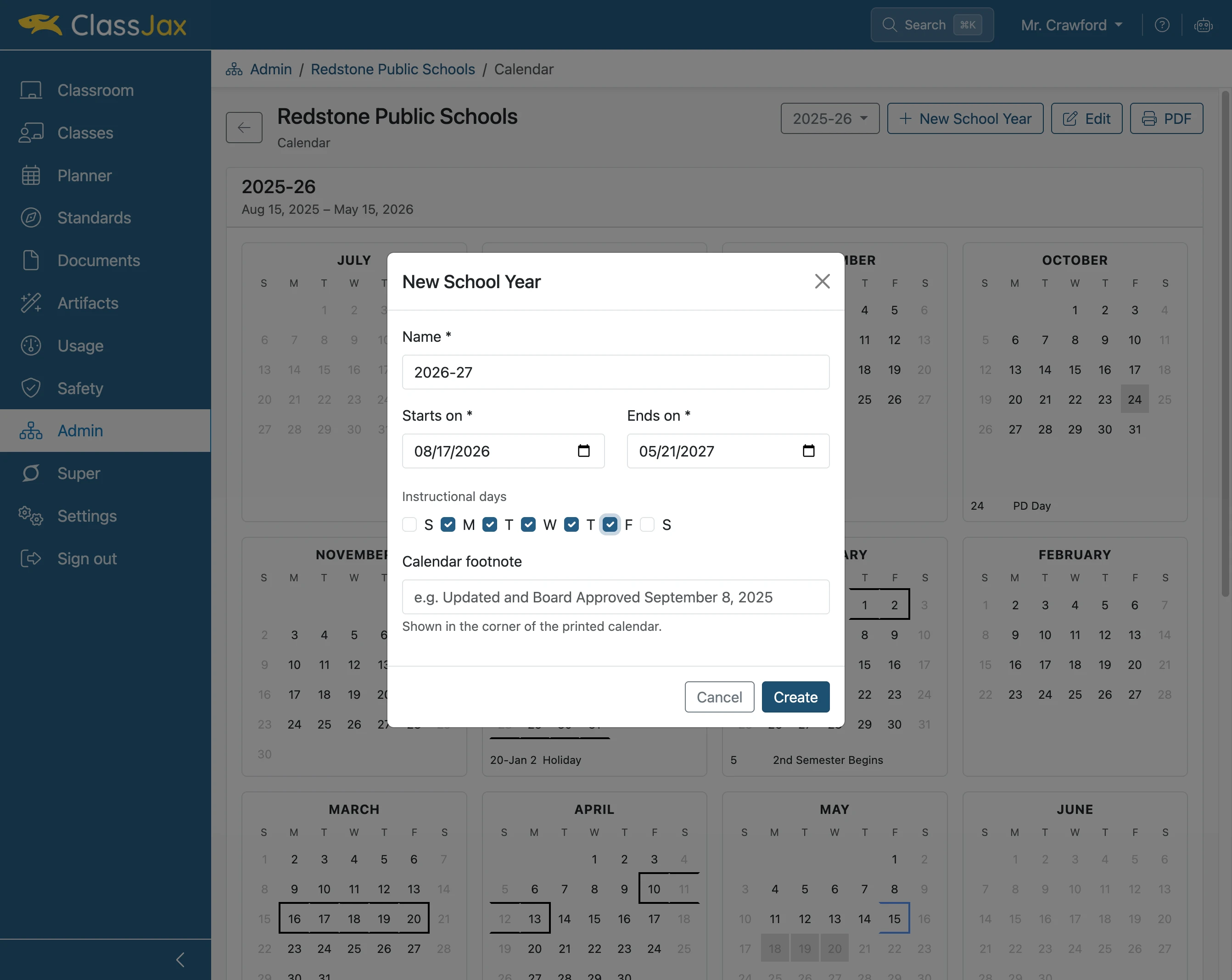
Click 'Create'
Enter for the calendar a Name, Start and End dates, Instructional days and the optional Calendar footnote. Then click Create.
- 6
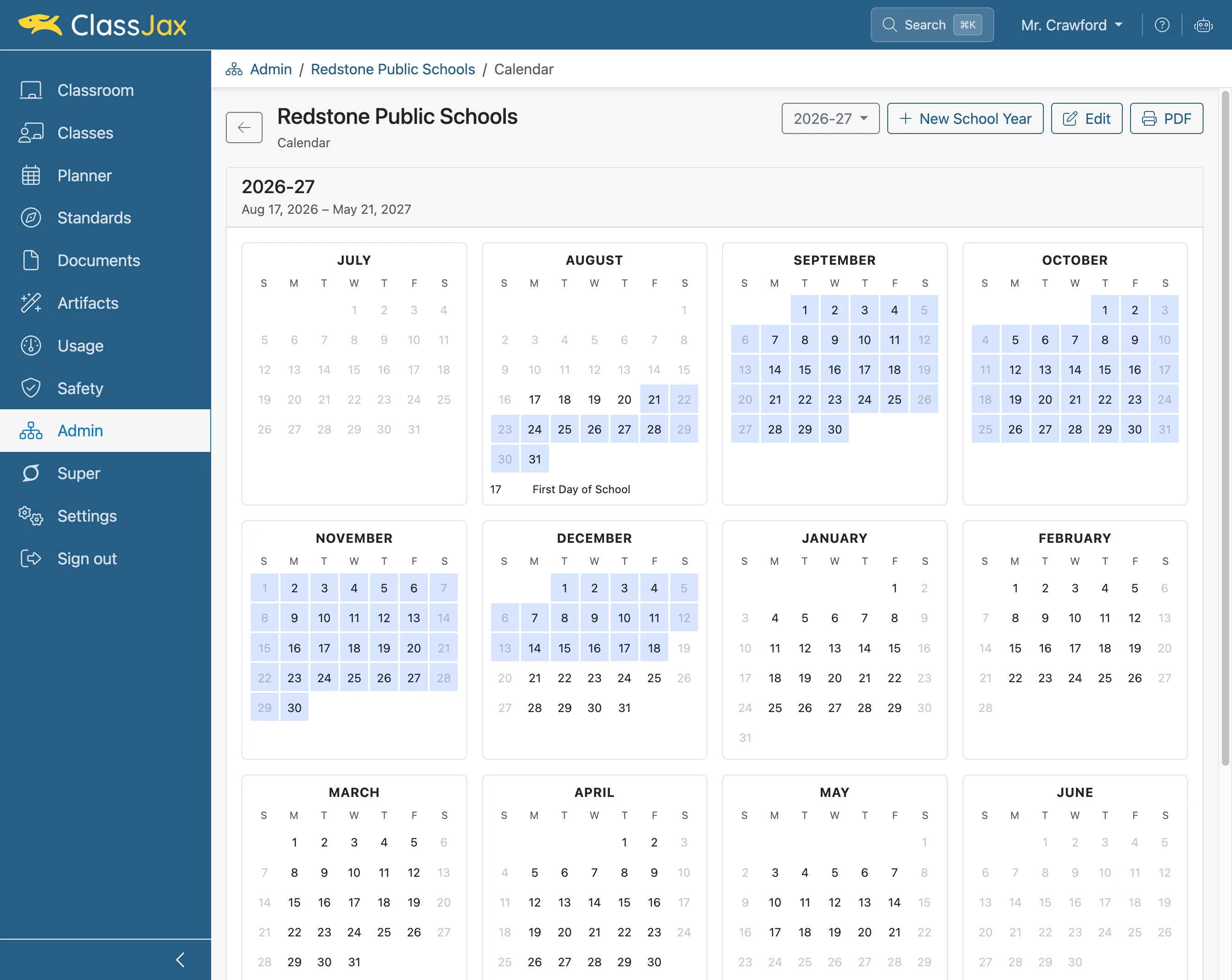
Select the 1st Semester dates
Click and drag, highlighting the dates representing 1st Semester. When the cursor is dragged to the last date and released, the event edit window appears.
- 7
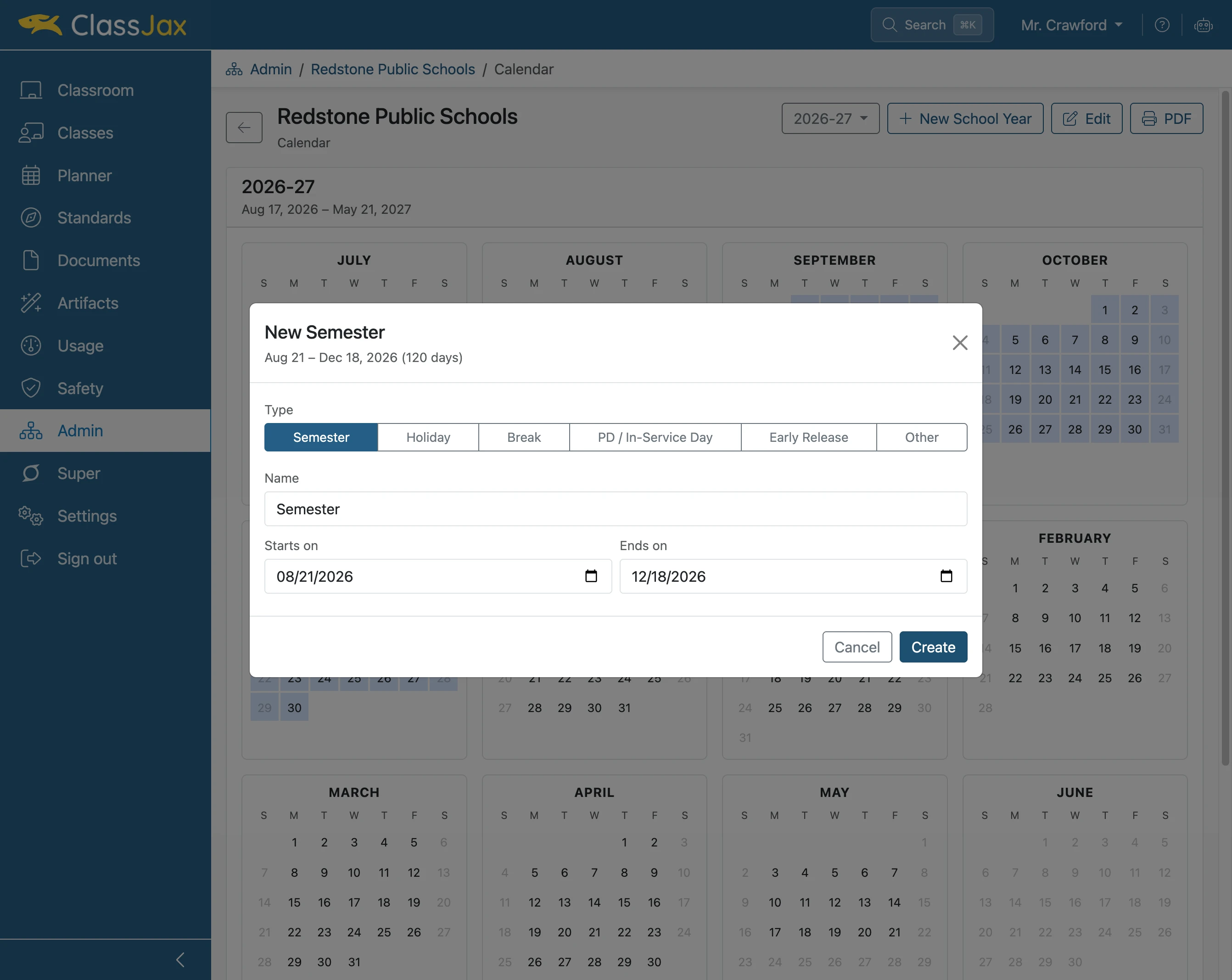
Click 'Semester'
Modify the Name field to represent the first semester.
Note: The same process applies to making Holiday, Break, PD, Early Release or Other events. For each event other than Semesters, consider if the event Counts as an instructional day.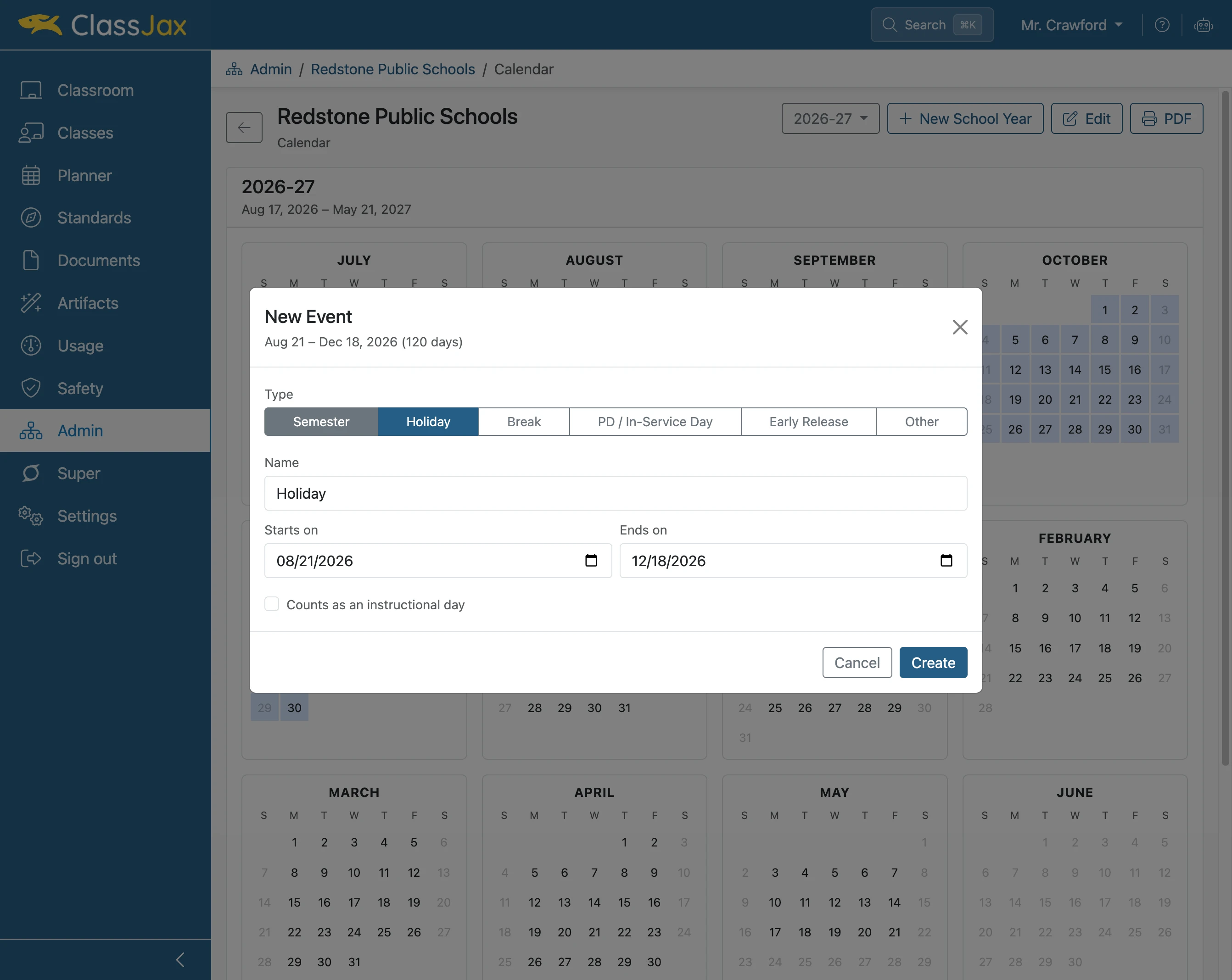
- 8
Click 'Create'
- 9
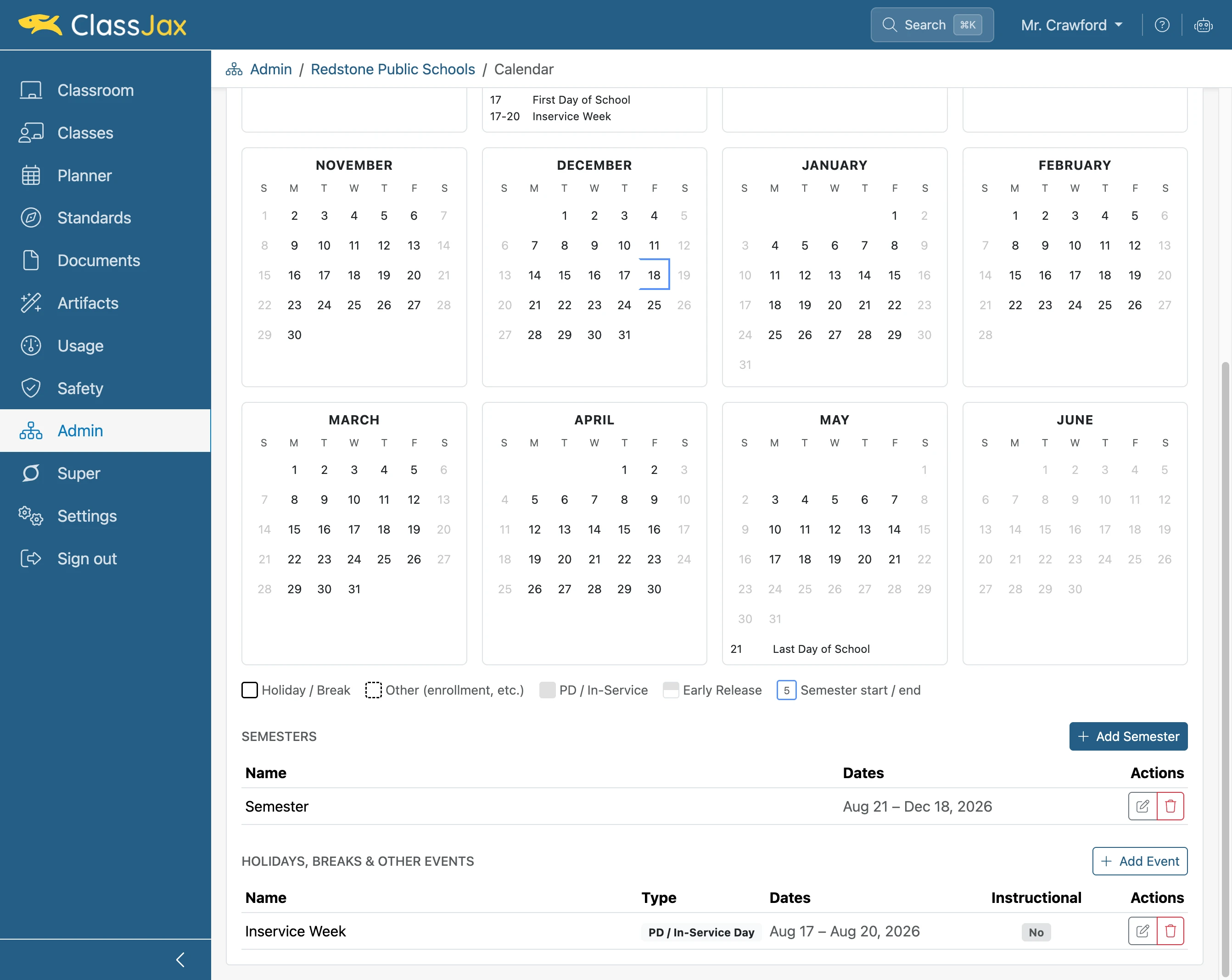
Click 'Add Semester'
A second option for creating events can be found below the Calendar.
- 10
Set the 'Event' options and click *Create*
For a Semester event, enter its Name, Start date and End date. Then click Create.
Note: Complete adding all events found in the school calendar.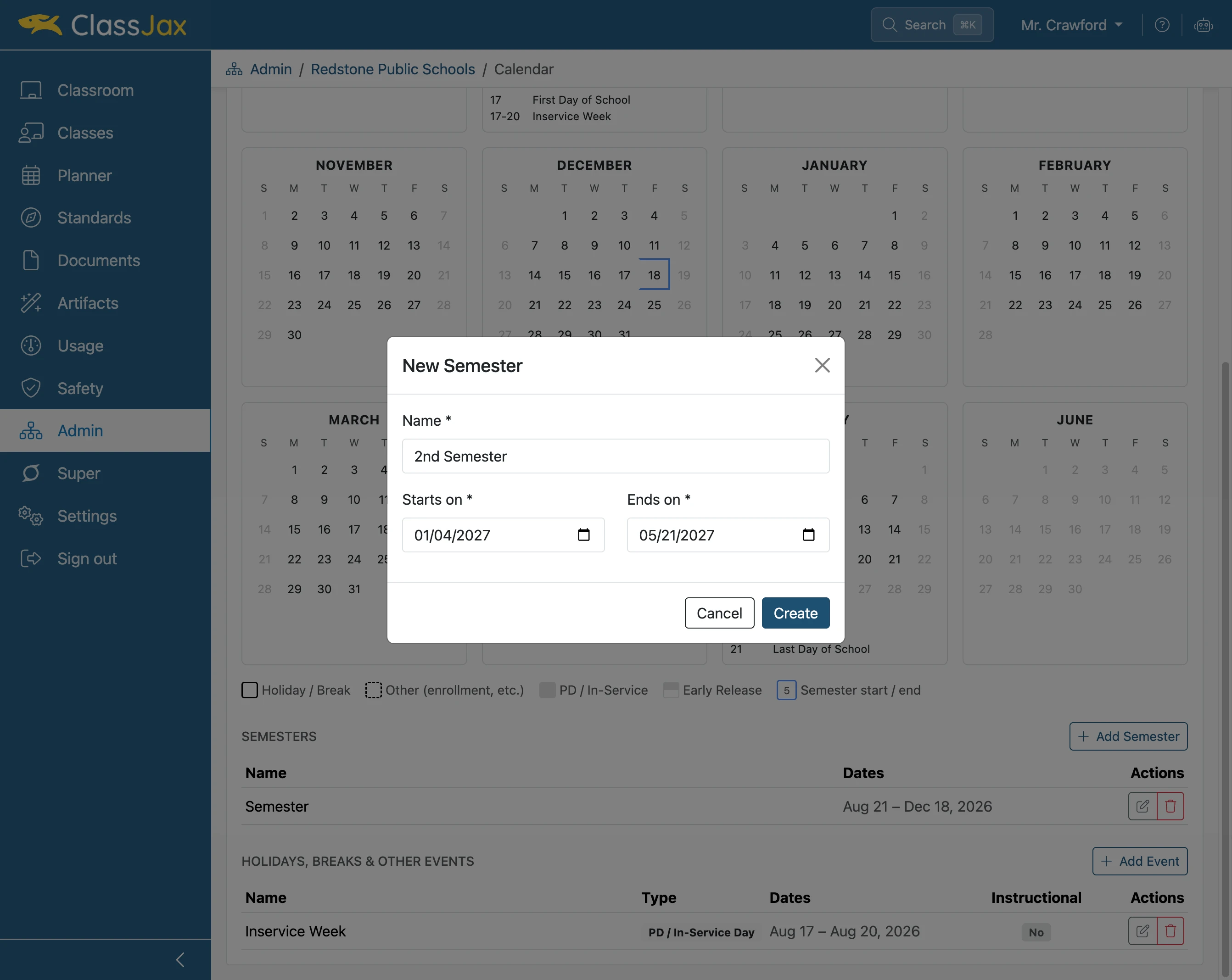
- 11
Next Steps
Faculty must update their classes and planners to select the appropriate calendar year. Events will be displayed in the lesson plans according to the assigned dates. Events remain fixed to their calendar dates, even if lesson plans are rescheduled or rearranged.